
To separate guest Wi-Fi from your business network, treat customer access, staff devices, and payment systems as distinct areas with only the connections each one needs. A guest Wi-Fi name and password can make access convenient, but they do not by themselves prove that guests cannot reach internal devices.
For St. Augustine retailers, restaurants, and offices, the practical goal is to provide internet access for visitors while limiting paths to payment terminals, work computers, printers, cameras, and other business equipment. The setup should be reviewed across both wireless and wired connections, and payment-network questions should be confirmed with the providers responsible for your systems.
Plan the network in three zones
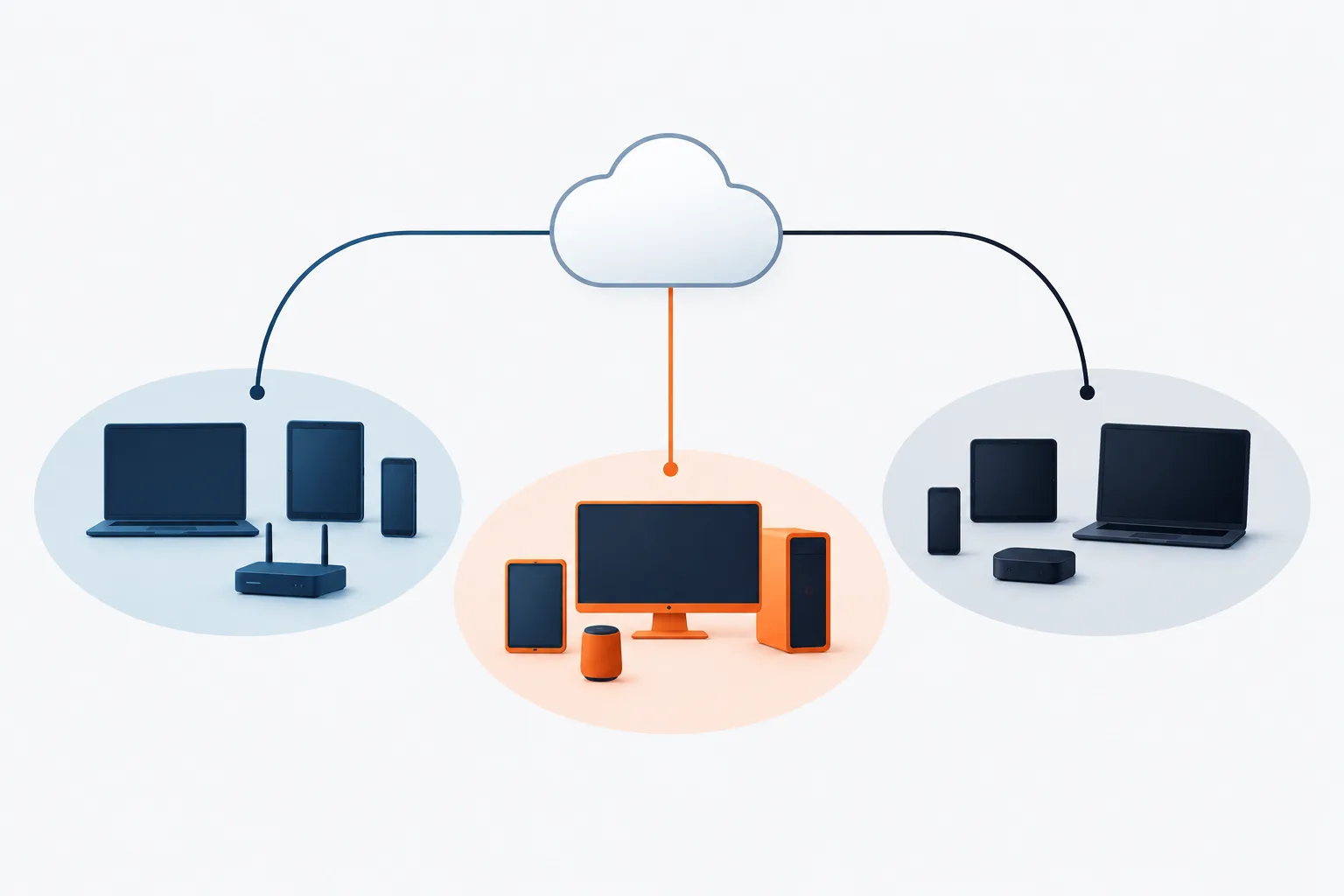
Start with a simple map of the devices and connections your business uses. Many organizations can begin the discussion with three zones:
- Guest access: Customer and visitor devices that need internet access, but should not need to reach business equipment.
- Staff and work devices: Computers, business phones, printers, and other tools employees use to do their work.
- Payment systems: Payment terminals and related equipment, separated from guest access and limited to the connections required for payment operations.
This is a planning model, not a universal design. The right arrangement depends on your equipment, how payment processing works, and who manages your network. For example, a terminal may connect over Wi-Fi or a wired port, and a payment provider or network vendor may control some of its settings.
Write down what each device needs to communicate with. Guest devices usually need internet access, not access to office file shares or printers. A payment terminal may need a specific connection to its payment service, but that does not mean it should be able to communicate broadly with staff computers. Have your network provider define and document the permitted connections.
Inventory more than laptops and Wi-Fi devices
A useful review includes equipment that is easy to overlook. List wired and wireless payment terminals, office computers, printers, cameras, phones, wireless access points, and devices managed by outside vendors. Include equipment connected through switches or other network hardware, not only devices that appear in the Wi-Fi list.
Also note any shared connections. A printer used by both staff and customers, a vendor-managed device connected to the office network, or an access point configured to bridge networks may create a path between areas that were meant to be separate. The inventory helps your provider see the full layout instead of reviewing only the customer-facing Wi-Fi name.
If your network is being redesigned or reviewed, Zevonix's guide to setting up a secure office network offers related context on organizing business network protections.
A separate Wi-Fi name is not the same as isolation
A guest network often uses a separate wireless network name, also called an SSID. That can help distinguish customer access from staff Wi-Fi, but the name alone does not show how traffic is handled behind the scenes. The guest network could still share underlying network paths or have settings that allow access to internal devices.
Ask the person or company managing your network to check the access point, router, firewall, switches, and inter-network rules together. A business Wi-Fi VLAN can be part of the design, but the VLAN must be configured and controlled so that traffic cannot simply pass into the staff or payment areas. The PCI Security Standards Council explains that VLANs can be used for network segmentation, with effective implementation and verification mattering to the result.
Ask your provider to confirm, in plain language, that guest devices can reach the internet but cannot reach business devices or payment systems. Also ask whether devices can communicate with one another within the guest network, and whether that behavior is appropriate for your needs. The answer should reflect the actual configuration, not just the name of a feature in a router menu.
Questions to ask your network provider
Use these questions to make a review more concrete:
- Which devices and network areas are included in the guest network?
- Can a guest device reach staff computers, printers, cameras, or payment equipment?
- Are guest, staff, and payment traffic separated by firewall rules or other controls?
- Are wired ports, access points, and vendor-managed equipment included in the review?
- Who is responsible for changes to the router, firewall, payment terminal, and access points?
- How will the provider verify that guest devices cannot reach internal systems?
- What should happen if a payment provider or vendor needs remote access?
Request a clear record of the intended network zones, permitted connections, and who manages each component. That record can make future troubleshooting and provider conversations easier. For a broader view of network management, see Zevonix's page on network support for St. Augustine businesses.
Verify separation instead of assuming it
Verification should test the actual connections from a guest device, rather than relying only on a settings screen or Wi-Fi name. Your network provider can check whether guest devices can reach internal addresses and services, review firewall rules, and confirm that wired and wireless paths follow the intended design. Testing should be planned with the provider so it does not disrupt payment processing or daily operations.
Repeat the review when network equipment or payment systems change, when a vendor adds a connection, or when a business remodel affects cabling and access points. Keep track of who approved changes and who can make them. These habits help the business spot unintended connections as its setup evolves.
What separation does and does not mean for PCI DSS
Network segmentation can help limit which systems can communicate with payment-related systems, and it may affect how the cardholder data environment is scoped. However, having a guest network or VLAN does not by itself establish PCI DSS compliance. The PCI Security Standards Council notes that PCI DSS applicability depends on how systems connect to and affect payment environments; consult its guidance on PCI DSS and individual workstations when considering that boundary.
If your business accepts card payments, ask your acquirer, payment provider, or qualified assessor what requirements and assessment obligations apply to your specific setup. Ask them to confirm whether the proposed separation is effective for the intended scope. Do not treat a network diagram or a separate Wi-Fi name as proof of compliance on its own.
Businesses reviewing broader protections can also explore Zevonix's guide to improving network security in St. Augustine.
Frequently asked questions
How do I set up guest Wi-Fi that is separate from my business network?
Ask your network provider to create a guest area with internet access and rules that block access to staff and payment systems. Have them review the router, access points, firewall, and wired connections, then verify the separation with a test.
Should a payment terminal be on a different network from customer Wi-Fi?
Customer Wi-Fi should not provide a path to payment equipment. The appropriate payment-network arrangement depends on the terminal and payment provider, so confirm the design with the providers responsible for those systems.
Is a separate guest Wi-Fi name and password enough?
No. A separate name and password do not prove that traffic is isolated. The underlying network configuration and access rules need to be checked.
Can a VLAN separate guest Wi-Fi from POS systems and office computers?
A VLAN can be used as part of network segmentation, but its effectiveness depends on correct configuration and controls between network areas. Have the network provider verify the actual paths and rules.
Does separating guest Wi-Fi make a business PCI DSS compliant?
No. Segmentation may help define or limit the payment environment, but it does not establish compliance by itself. Confirm your obligations and setup with your acquirer, payment provider, or assessor.
Keep guest access useful and business systems separate
Good guest Wi-Fi planning starts with an inventory, clear network zones, restricted connections, and verification that the separation works across wired and wireless equipment. For a local review, St. Augustine and surrounding-area businesses can ask Zevonix about its network management and cybersecurity support. The next step is to have your network provider document and test the boundaries between guest access, work devices, and payment systems.